
Modules · 01
Vessel and fleet register
Every vessel, department, position and person in one register, with one access model over all of it.
What it is for
The requirement
ISM Code 3.2 — FOR-2014-09-05-1191The company shall define and document the responsibility, authority and interrelation of all personnel who manage, perform and verify work relating to and affecting safety. A register that cannot answer who holds which position on which vessel today cannot support that.
Most of what goes wrong in a ship management system goes wrong here, long before anyone opens a work order. A person exists twice because two offices typed the name differently. A position has no holder because the previous holder signed off and nobody closed the record. A superintendent can read another owner’s vessel because access was granted per user rather than per scope.
NoRemarks keeps one register. A company owns fleets, a fleet owns vessels, a vessel owns departments and positions, and a position is held by a person for a period with both ends recorded. Everything else in the product — a job, a permit, a rest-hour record, a requisition — points into that register rather than repeating it.
In detail
What the module does
- Scoped access, not per-user lists. A role is granted at a scope — the company, one fleet, or one vessel — written as a path such as co:acme/fl:psv/vs:far-sentinel. Adding a vessel to a fleet gives the fleet superintendent that vessel automatically, and removes the class of mistake where somebody is forgotten on the way out.
- Delegation with an end date. A master going ashore for two weeks delegates to the chief officer for exactly those two weeks. The delegation expires by itself. There is no standing elevated account and nothing to remember to revoke.
- Explicit denial that outranks a grant. Some things have to be withheld from a person who otherwise holds the role. A deny policy sits above every grant, so the answer to "can this person do this here" is one function with one result, and the product asks it rather than checking a role name.
- The vessel stays in setup until it is ready. A new vessel is not in service until it has a time zone, departments and a named master. The checklist is part of the domain, not a launch procedure somebody follows, so a half-configured vessel cannot quietly start recording statutory work.
- IMO and MMSI checked on entry. The IMO number check digit is verified where it is typed. An MMSI is validated and cannot be claimed by two vessels, because the AIS position of the wrong ship on the right page is worse than no position at all.
- A hash-chained audit trail per vessel. Every server-side write is recorded with the actor, the device, the time and the previous entry’s SHA-256. The chain is per vessel, so an inspector can be handed one vessel’s history without being handed the fleet’s.
Screens
What it adds to the app
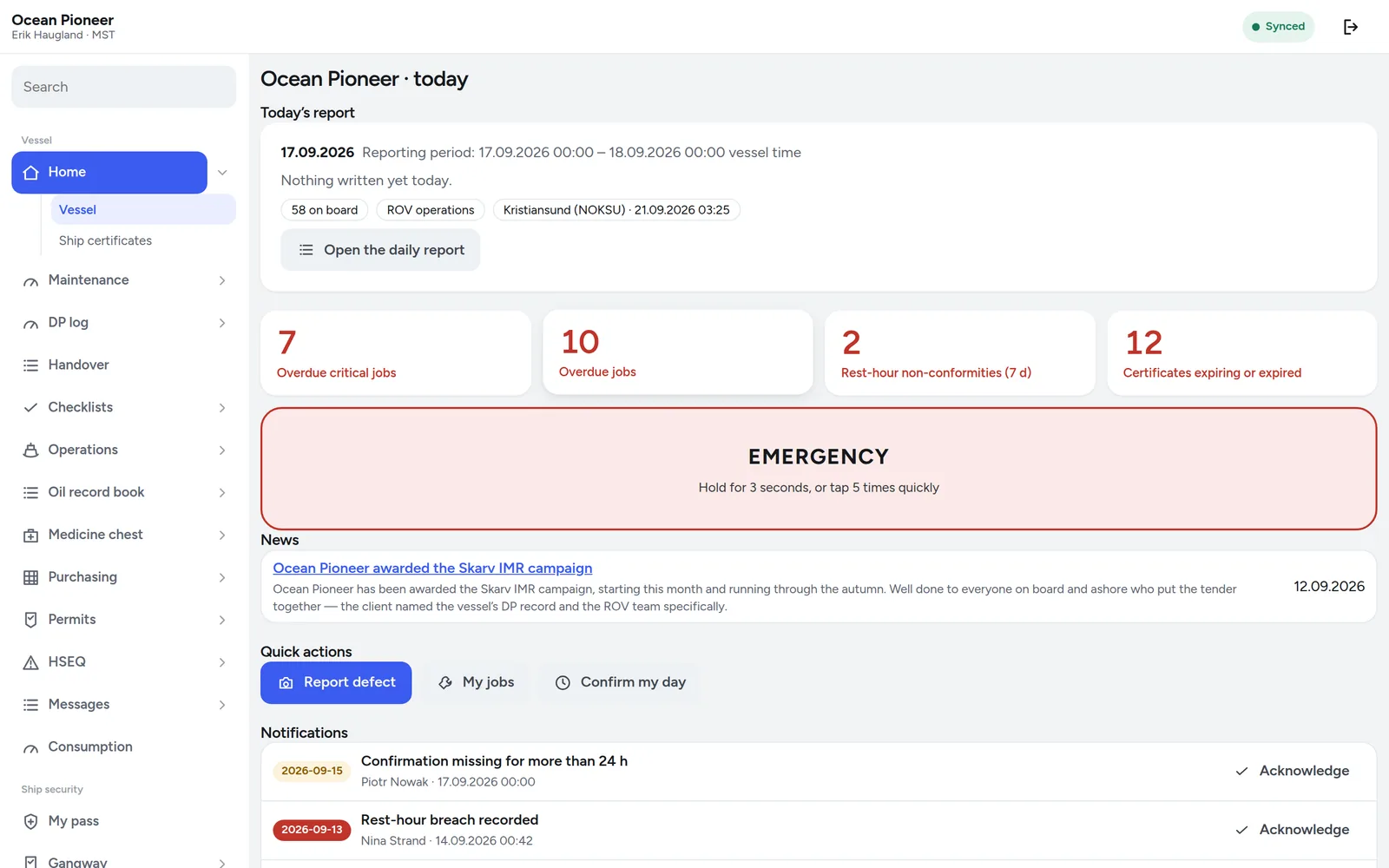
- Vessel home — what the vessel is, where it is, and what is due
- Company, vessels, positions and users under Administration
- Access control: roles, assignments, delegations and denials
- The audit log, readable in the product rather than in a database
The decision
No onboarding project
A shipowner can add its own vessel, its own departments and its own people, on a Tuesday afternoon, without us. There is no implementation fee and no consultant in the loop, because a register that only a vendor can change is a register that stops being true about three months in.
The seed catalogues — departments and positions as they are actually named on a Norwegian offshore vessel — are there to start from, and every one of them can be renamed or removed.